Know what’s happening.
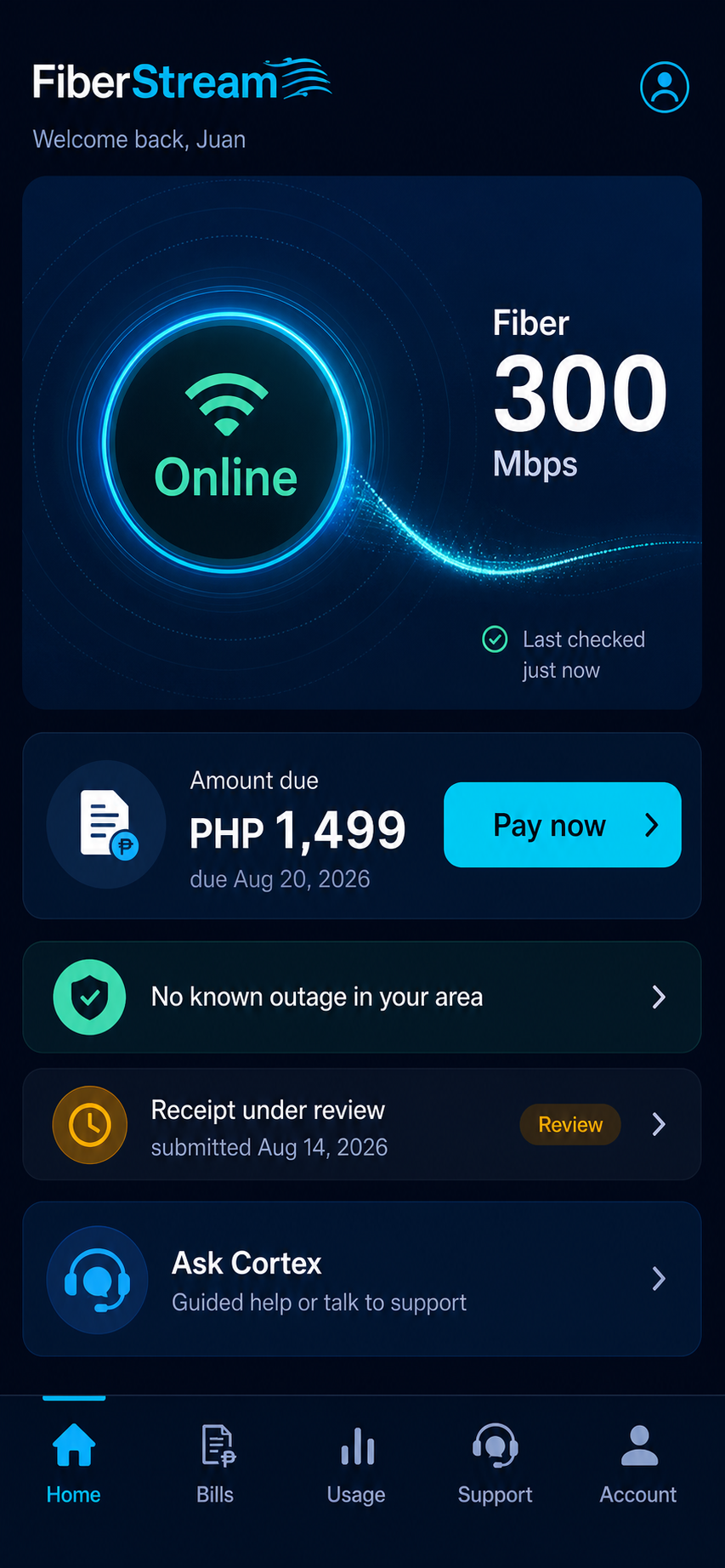
See available service updates and incident information, with clear indication when the latest status is uncertain.
ISP & FTTH services by HVGTEC
THE FIBERSTREAM CUSTOMER APP
Your FiberStream connection, bills and support from HVGTEC. All in one place, right on your phone.
Customer access is coming soon.
LESS GUESSWORK. MORE CLARITY.
See available service updates and incident information, with clear indication when the latest status is uncertain.
Review your amount due, bill details and payment history without hunting through messages.
Follow submitted payment evidence and its review status. A receipt under review is clearly separate from a confirmed payment.
Ask for help, share the details and follow your support case in the same app.
LET’S GET YOU FAMILIAR
Follow an English walkthrough of service updates, bills, payment evidence, support and account settings.
Demonstration using a sample account. The video shows the app in development; some screens and options may change before customer access opens.
Watch the complete walkthrough, or choose a chapter. English captions are available in the player.
A LITTLE CLOSER TO HOME
Open the customer app in your browser, then add it to your phone for easy access.
Open the customer appThe customer app link is coming soon. You can explore the installation steps below while we prepare access.
Options vary by browser and phone.
You can also keep using the app in your browser.
A FEW THINGS TO KNOW
FiberStream is HVGTEC’s service brand for ISP and fiber-to-the-home (FTTH) services. This customer app is for managing your FiberStream account with HVGTEC.
No. You can use the customer app in your browser. Adding it to your Home Screen gives you a convenient way to open it.
There are no store download links on this page yet. The first access route will be the web app; any store releases will be linked here when available.
An internet connection is needed to load current account information. The app does not save your private account details for offline viewing.
No. Submitting payment evidence starts a review. Check the payment status for confirmation; a submitted receipt does not automatically restore a disconnected service.